
Views: 0 Author: Site Editor Publish Time: 2026-06-07 Origin: Site


High failure rates of consumer-grade electronics on the factory floor quickly lead to unacceptable downtime. When delicate commercial screens break from dust, vibration, or extreme temperature swings, they cause massive production bottlenecks. Operators wait, assembly lines halt, and daily output drops significantly. Upgrading or deploying new hardware requires a careful strategy. You must balance rugged durability, legacy machine connectivity, and daily operator usability. A poorly chosen system frustrates workers and stalls vital data collection.
Conversely, deploying an over-engineered device wastes your hardware budget unnecessarily. This guide provides an evidence-based evaluation framework. We show you how to match hardware specifications directly to your facility's exact environmental constraints. We also explore how to align these choices alongside your modern software demands. By applying this logic, you prevent both critical under-performance and unnecessary over-spending. Read on to build a highly resilient, future-proof automation infrastructure for your facility.
Environmental mapping dictates baseline specs: Define required IP/NEMA ratings, vibration tolerance, and temperature ranges before looking at processors.
Touch technology impacts workflow: Choose resistive touch for heavy glove use or water exposure, and projected capacitive (PCAP) for multi-touch software environments.
Thermal management is critical: A fanless industrial panel pc reduces mechanical failure points and dust intake, extending hardware lifespan in harsh environments.
I/O dictates integration: Ensure legacy port availability (RS-232/485) alongside modern LAN/USB to bridge legacy PLCs and modern SCADA systems.
You must first frame the core business problem clearly. Hardware failures directly cause severe operational bottlenecks and unrecoverable line stoppages. A cheaper upfront unit costs your business significantly more if it frequently halts your automated production line. Every minute your machinery sits idle, your facility loses valuable output. Operators cannot monitor yields, and maintenance teams spend hours replacing broken consumer monitors. Therefore, hardware reliability stands as the absolute highest priority.
Next, conduct comprehensive zone profiling across your facility. Categorize the exact installation area before you evaluate technical specifications. We suggest classifying your functional zones into specific hazard categories:
Dry assembly lines: These areas see mild ambient dust. They require continuous uptime but do not need extreme waterproofing.
Heavy dust CNC machining: Metallic shards and airborne particulates threaten standard vents. Conductive dust easily short-circuits unprotected motherboards.
Chemical washdown food processing: Strict sanitation rules dictate extreme waterproof seals. These zones require absolute corrosion resistance against harsh cleaning agents.
Finally, identify mandatory compliance and certifications. Different industries demand specific, non-negotiable regulatory standards. Look for baseline UL listings to ensure general electrical safety. If you operate in hazardous locations involving combustible gases or airborne dust, Class 1 Div 2 certification becomes strictly mandatory. Meanwhile, EN 50155 certification is vital for railway integration or highly specific rugged transit applications. You must lock in these certifications early in the procurement phase.
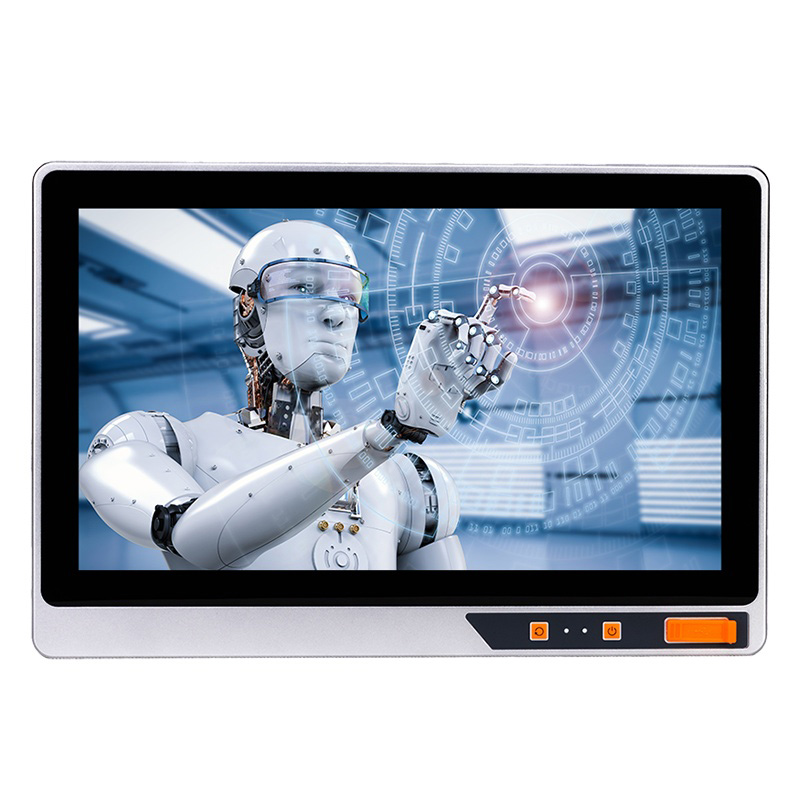
Understanding IP ratings ensures your hardware survives real-world factory use. IP65 protects the front panel against general water splashes and dust. This rating works perfectly for most standard factory floors and control rooms. Conversely, IP66, IP67, and IP69K ratings handle full washdown scenarios. IP69K specifically survives high-pressure, high-temperature sanitization routines typically found in food and beverage plants.
Best Practice: Avoid over-specifying your hardware. Do not buy an expensive IP69K stainless steel unit if you plan to embed the PC inside a completely dry, enclosed control cabinet.
Thermal management strategies dictate long-term system survival. Standard active cooling fails rapidly on the factory floor. Fans suck in debris, which quickly clogs delicate heat sinks. Eventually, the fan motor dies completely. This mechanical failure causes fatal system overheating.
Instead, deploy a fanless industrial panel pc. These robust devices use extruded aluminum chassis designs. The entire metal casing acts as a giant passive heatsink. They rely on solid-state drives (SSDs) and low-TDP (Thermal Design Power) processors. This fanless approach entirely eliminates moving parts. It drastically cuts hardware failure rates in dusty environments.
You must also consider vibration and shock resistance. Stamping presses and heavy milling machines create continuous structural vibrations. Standard desktop PCs literally shake apart internally under these conditions. Look for modern cable-less internal motherboard designs. Secure, soldered connections prevent loose wires during continuous operation. Furthermore, MIL-STD-810G testing guarantees the device survives high-vibration and shock-prone milling environments.
You must size the display carefully to match your specific application. Match the physical interface strictly to the software your operators run daily. A compact 7-inch screen fits basic Human-Machine Interface (HMI) tasks perfectly. It saves space and handles simple button presses.
However, complex SCADA systems or intricate ERP dashboards require much more screen real estate. For these complex views, a various size industrial touch pc approach works best. Facilities typically deploy 15-inch to 21.5-inch widescreen displays. These larger sizes let operators read detailed schematics without squinting.
Touchscreen technology profoundly impacts user workflow and daily efficiency. Let us compare the two dominant options available today:
Touch Feature | Projected Capacitive (PCAP) | Resistive Touch |
|---|---|---|
Mechanism | Electrical field disruption | Physical pressure applied to screen |
Glove Support | Thin latex or nitrile only | Any thick industrial leather glove |
Water Tolerance | Poor (registers false touches easily) | Excellent (water does not affect input) |
Multi-Touch | Yes (supports complex pinch/zoom gestures) | No (strictly single touch input only) |
Durability | Highly scratch-resistant glass front | Slightly softer PET film layer |
As the table illustrates, PCAP offers high optical clarity and durable glass. It handles multi-touch gestures like pinch-to-zoom effortlessly. However, it fails or registers false touches when water pools on the glass. It also struggles if operators wear thick leather work gloves. Resistive technology relies on physical force. It works seamlessly when operators wear heavy gloves or use hard styluses. It performs flawlessly in wet, messy conditions. The trade-offs include slightly lower optical clarity and a strict single-touch limitation.
Optical readability also deserves careful attention. Facilities equipped with intense overhead fluorescent lighting create severe screen glare. If you place a unit near outdoor-facing loading bays, standard screens become unreadable. Demand anti-glare screen treatments. Require high-brightness panels (measured in nits) to maintain clear visibility across all operating shifts.
Balancing computing power against heat output creates a primary engineering challenge. This critical tradeoff defines the internal architecture of any reliable industrial all in one pc.
Intel Celeron or Atom processors generate minimal internal heat. They provide sufficient power for basic data collection tasks. They easily run thin-client web applications and simple HMI controls. Using these efficient chips maximizes fanless thermal efficiency.
On the other hand, Intel Core i5 or i7 processors deliver massive computing power. You need them for local machine vision processing. They render heavy 3D CAD files and run complex edge AI models smoothly. However, these powerful chips require highly careful thermal planning. They must dissipate heat effectively to prevent overheating inside sealed enclosures.
Bridging the Operational Technology (OT) and Information Technology (IT) gap requires specific Input/Output (I/O) ports.
Isolated COM ports (RS-232/422/485): You need these legacy ports to connect older Programmable Logic Controllers (PLCs). They also interface safely with industrial barcode scanners. Optical isolation prevents unpredictable electrical surges from destroying the main motherboard.
Dual Gigabit LAN ports: Dual ports provide critical network redundancy. If one network switch fails, the machine stays online. They also allow you to physically separate machine-level communication networks from your vulnerable corporate enterprise network.
Expansion capabilities: Always verify internal PCIe or mini-PCIe expansion slots. These slots easily accommodate proprietary fieldbus cards. They also house specialized wireless modules as your facility evolves over time.
You must examine mounting architectures closely before finalizing any purchase. Buyers generally choose between two primary installation methods.
Panel Mount installation provides flush, seamless integration directly into existing control cabinet doors. It offers a clean, highly protected aesthetic. However, it requires highly precise metal cutouts. You must use high-quality rubber gaskets to maintain the cabinet's original IP rating.
VESA Mount standards allow highly flexible deployment. You can mount these screens on articulating arms, heavy-duty swing arms, or simple desktop stands. This approach maximizes ergonomic operator access. It also simplifies repositioning if you redesign your assembly line later.
Power supply realities often ruin standard commercial hardware. Factory floors experience frequent voltage fluctuations, sudden drops, and massive electrical spikes. Heavy machinery starting up drains power momentarily across the grid. Utilizing wide-voltage DC power inputs solves this pressing problem. Systems accepting 9-36V handle electrical anomalies smoothly. They operate safely without unexpectedly rebooting or frying your sensitive internal components.
Operating system stability prevents unexpected production disasters. Standard commercial operating systems force automatic updates routinely. These updates can arbitrarily restart your machine right in the middle of a critical production run. Opting for Windows 10/11 IoT Enterprise prevents this issue entirely. Industrial Linux distributions also provide a secure alternative. These enterprise-grade systems give you total administrative control over updates. They ensure maximum software uptime during your busiest shifts.
Understanding the distinction between these two systems helps customers quickly determine the right product direction for their projects. An Industrial Computer typically provides only computing and processing capabilities; it lacks a built-in display and requires a connection to a separate host or external monitor for visual output. In contrast, an Industrial Panel PC seamlessly integrates both the industrial-grade display and the computing unit into a single device. This all-in-one design allows it to run software independently and serve as a complete, standalone workstation, simplifying installation and saving space.
Selecting the ideal display size ensures optimal operator efficiency and matches your software interface requirements. Consider the following sizing guidelines for your deployment:
7" to 10": Perfect for basic equipment control and simple HMI (Human-Machine Interface) operations where installation space is limited.
12" to 15": Highly suitable for standard PLC control setups and general industrial automation tasks.
15.6" to 21.5": Ideal for running SCADA systems, machine vision monitoring, and displaying real-time production data effectively.
21.5" and above: Best deployed for comprehensive MES (Manufacturing Execution Systems), centralized control rooms, and complex visual analytics applications.
External dimensions(mm) | Dimension(mm) | Resolution | Screen ratio | Wall mounted hole position | |
|---|---|---|---|---|---|
7 inches | 194*129.9*52 | 188*124 | 1024*600 | 16:9 | 100*100 75*75 |
8 inches | 234*187*52 | 228*181 | 1024*768 | 4:3 | 100*100 75*75 |
10.1 inches | 266.1*181.9*52 | 260*176 | 1280*800 | 16:10 | 100*100 75*75 |
10.4 inches | 277*225*55.8 | 270*218 | 1024*768 | 4:3 | 100*100 75*75 |
12.1 inches | 311*255*55.6 | 305*248 | 1024*768 | 4:3 | 100*100 75*75 |
13.3 inches | 337*208.6*52 | 331.5*203 | 1920*1080 | 16:9 | 100*100 75*75 |
14 inches | 370*244*54.2 | 355*232 | 1366*768 | 16:9 | 100*100 75*75 |
15 inches | 367*291*58.8 | 359*283 | 1024*768 | 4:3 | 100*100 75*75 |
15.6 inches | 412*261*58.6 | 404*253 | 1920*1080 | 16:9 | 100*100 75*75 |
17 inches | 401*338*58.6 | 396*324 | 1280*1024 | 5:4 | 100*100 75*75 |
19 inches | 445*374*58.6 | 439*359 | 1280*1024 | 5:4 | 100*100 75*75 |
21.5 inches | 559*349*60.1 | 545*335 | 1920*1080 | 16:9 | 100*100 75*75 |
Let us summarize the core shortlisting logic. Do not start your search by picking a fast CPU and maximum RAM. Instead, start entirely with the physical environment. First, select the appropriate form factor, IP rating, and touchscreen interface. Next, ensure you have all required legacy and modern I/O ports. Only then should you scale the processing power to meet your software applications.
Your immediate next-step action involves mapping your exact software requirements. Document your factory floor environmental variables clearly. Note your temperature extremes, ambient dust levels, and operator glove types. Once you establish these firm baselines, contact your hardware provider. Always request a customized proof-of-concept (POC) unit. Conduct rigorous field testing before executing a costly mass rollout.
A: An Industrial Panel PC is an all-in-one computing device that combines an industrial-grade display and an embedded computer into a single unit. It is designed for use in demanding environments such as factory automation, manufacturing, transportation, medical equipment, and industrial control systems. Compared with traditional desktop computers, Industrial Panel PCs offer fanless designs, rugged enclosures, wide operating temperature ranges, and long product lifecycles, making them ideal for continuous 24/7 industrial operation.
A: Most Industrial Panel PCs support a wide range of operating systems, including Windows 10 IoT Enterprise, Windows 11 IoT Enterprise, Linux distributions such as Ubuntu and Debian, and other embedded operating systems. The choice depends on the software and hardware requirements of your application. For industrial automation projects, Windows IoT and Linux are commonly selected due to their stability, security, and long-term support.
A: Industrial Panel PCs are designed for long-term deployment and typically have a service life of 5 to 10 years or longer, depending on the operating environment and usage conditions. Unlike commercial computers, they use industrial-grade components that can withstand vibration, dust, temperature fluctuations, and continuous operation. Many manufacturers also provide long-term product lifecycle support, helping customers maintain system consistency and reduce replacement costs over time.
A: Yes. Industrial Panel PCs can often be customized to meet specific project requirements. Common customization options include screen size, display brightness, touch technology, processor configuration, memory capacity, storage options, interface selection, mounting methods, operating temperature range, and enclosure materials. OEM and ODM services are widely available for equipment manufacturers, system integrators, and industrial automation projects that require tailored solutions.
A: The ideal screen size depends on your application and installation environment. Smaller displays such as 7-inch to 10.1-inch models are commonly used for equipment control and simple HMI applications. Mid-size displays from 12-inch to 15.6-inch are suitable for industrial automation and production line monitoring. Larger displays ranging from 17-inch to 21.5-inch or above are often used for SCADA systems, machine vision applications, and complex data visualization. Choosing the right size helps improve operator efficiency and user experience.
A: Yes. Fanless Industrial Panel PCs are specifically designed for continuous 24/7 operation in industrial environments. By eliminating cooling fans, they reduce the risk of dust accumulation, mechanical failure, and maintenance requirements. Most fanless designs use aluminum alloy housings as passive heat sinks to dissipate heat efficiently. As a result, fanless Panel PCs often provide higher reliability, longer service life, and improved stability compared to traditional fan-cooled systems in harsh industrial environments.
MeetNeng provides customized Industrial Panel PC solutions for:
Factory Automation
Machine Vision
Food Processing
Transportation
Smart Manufacturing
Contact Us today to discuss your project requirements.


