
Views: 0 Author: Site Editor Publish Time: 2026-09-23 Origin: Site


Picture a scenario every plant manager dreads. A critical production line suddenly halts. The machinery itself works fine, but a 15-year-old control monitor finally burned out. Rewriting the legacy SCADA software to fit a modern display costs entirely too much time and capital. Worse yet, forcing these old 4:3 layouts onto modern widescreen monitors distorts the interface. Operators can barely read critical valve pressures or acknowledge alarm states.
Upgrading physical infrastructure does not inherently require a complete software overhaul. In the high-stakes world of industrial automation, finding a reliable hardware bridge is crucial. This guide explores the technical benefits, operational compatibility, and strategic advantages of dropping a 15-inch HMI safely into your existing control panels.
Before diving into specific technical specifications and migration strategies, you must understand the core benefits of utilizing purpose-built hardware to preserve older software systems. Here are the primary advantages for plant managers, automation engineers, and procurement teams:
Native Aspect Ratio Preservation: A 15-inch Human-Machine Interface typically features a standard 4:3 aspect ratio with a 1024x768 resolution. This geometry perfectly matches the native layout of most historical industrial software. It completely eliminates visual stretching, black bars, and dangerous UI distortion.
Operating System Flexibility: Modern industrial computing solutions can be specifically configured to support older operating systems. Through native motherboard support or hardware-level virtualization, facilities keep mission-critical legacy programs alive without compromising processing reliability.
Essential Legacy I/O Support: Unlike commercial computers, purpose-built industrial units retain critical legacy ports like RS-232, RS-422, RS-485, and VGA. This guarantees seamless communication with older Programmable Logic Controllers and CNC machinery.
Significant Cost Reduction: By bypassing the need for a total software rewrite, manufacturing facilities save tens of thousands of dollars in engineering fees, operator retraining, and costly plant downtime.
In the industrial automation sector, stability trumps innovation. Factories and processing plants operate on strict production schedules. Even an hour of unplanned downtime bleeds massive capital. This high-pressure environment naturally breeds a strong reluctance to touch working operational logic.
Many facilities still rely heavily on Supervisory Control and Data Acquisition systems or HMI software developed ten to twenty years ago. These legacy systems are deeply woven into daily operations. Migrating to an entirely new software platform involves reverse-engineering undocumented custom logic, hiring specialized system integrators, and enduring prolonged validation phases.
Recent market analyses highlight a distinct trend in industrial automation regarding this exact issue. While mainstream media heavily promotes cloud-based Industry 4.0 platforms, frontline reality is quite different. Over 40 percent of active manufacturing facilities still rely on SCADA frameworks developed prior to 2010. Industry experts note a major shift toward strategic preservation. Plant engineers are actively encapsulating proven, reliable legacy logic within modern edge-computing hardware. This approach bridges the gap to modern data collection without risking catastrophic downtime or ripping out functioning code.
Beyond direct engineering expenses, indirect costs remain substantial. Operators who spent years building muscle memory with a specific software interface must be completely retrained. Consequently, plant managers strongly prefer to keep legacy software running for as long as physically possible.
Conflict inevitably arises when physical hardware reaches the end of its lifecycle. When an old CRT or early-generation LCD fails, procurement teams find a commercial market overwhelmingly dominated by 16:9 widescreen displays.
Forcing legacy software explicitly designed for 800x600 or 1024x768 resolutions onto a widescreen creates a formatting nightmare. The operating system typically stretches the 4:3 image horizontally to fill the empty screen space.
Display Characteristic | Legacy Software on 4:3 Screen | Legacy Software on 16:9 Widescreen |
|---|---|---|
Visual Geometry | Circles remain circular; squares remain square. | Circles become ovals; squares become rectangles. |
Text Legibility | Crisp, pixel-mapped text. | Blurred, pixelated, or stretched typography. |
Button Interaction | Precise target areas for touch or mouse input. | Stretched hitboxes leading to misclicks. |
Operator Impact | High familiarity, low fatigue. | Increased eye strain, higher risk of critical errors. |
A distorted user interface is far more than an aesthetic annoyance. It represents a genuine safety hazard on the factory floor. Stretched graphics obscure critical data readouts. Warped touch targets lead to dangerous operator errors, such as triggering the wrong pump valve or misinterpreting a flashing alarm state.
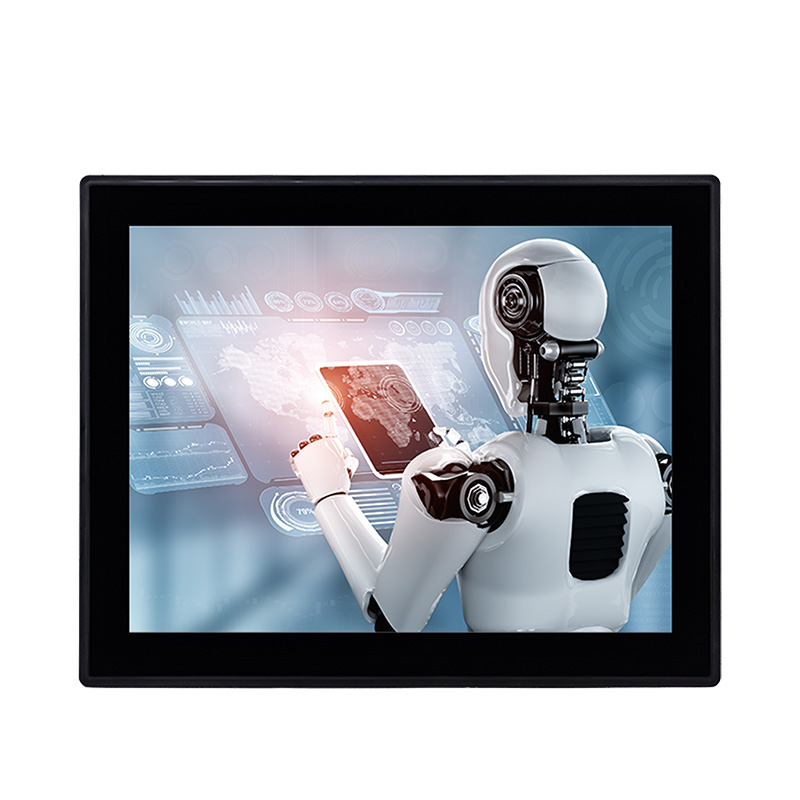
To solve the resolution mismatch without touching a single line of software code, engineers must source hardware that physically aligns with original design parameters. This is precisely where the 15-inch form factor proves its immense value.
The physical geometry of a 15-inch screen naturally lends itself to the 4:3 aspect ratio. Historically, 1024x768 was the undisputed standard for industrial software development throughout the late 1990s and into the 2000s. By upgrading to a high-quality 15 inch industrial panel PC, you utilize hardware that displays this exact resolution natively.
Because the hardware physical pixel grid matches the software output exactly, the graphics processing unit does not need to interpolate or stretch the image. Piping diagrams, tank levels, and control panels look exactly as they did on the original machine.
Modernizing the physical hardware allows facilities to upgrade the interaction layer. These units are available with two primary touch technologies suited to specific environmental realities.
Resistive touch technology relies on physical pressure rather than electrical conductivity. It is highly recommended for legacy environments because operators wearing thick work gloves can easily actuate the screen. Since older software often features smaller drop-down menus, resistive touch provides the exact single-point accuracy required. Conversely, projected capacitive screens offer superior image clarity and scratch resistance. They are generally better suited for clean-room environments where operators do not wear heavy gloves.
Preserving the visual layout solves the display issue, but the new hardware must also run the aging operating system hosting the software. Many older SCADA systems are firmly hardcoded to run on Windows XP, Windows 7, or obsolete distributions of Linux.
Installing a modern consumer PC from a big-box store into an old industrial network usually results in immediate failure. Consumer processors and motherboards simply no longer provide drivers for older Windows versions. Without the proper chipset, LAN, and display drivers, the legacy OS will blue-screen.
Industrial computing manufacturers understand this critical limitation. By utilizing long-lifecycle embedded processors, an embedded HMI touch computer maintains full driver support for legacy operating systems. Plant engineers can often clone their existing hard drives and boot them directly on the new hardware with minimal configuration.
If native hardware support for an obsolete OS violates current IT security policies, virtualization offers a highly robust alternative. A modern panel PC equipped with a high-performance Intel Core processor and ample RAM runs a current, secure operating system like Windows 10 IoT Enterprise as the host.
Using hypervisors such as Microsoft Hyper-V, engineers create a virtual machine that runs the legacy OS in an isolated environment. The virtual machine launches in full-screen mode at boot. To the operator on the floor, they simply see their familiar 1024x768 legacy interface. Meanwhile, the modern host OS handles network security and peripheral management silently in the background.
Industrial software exists to monitor and control physical machinery. Therefore, the new HMI must communicate flawlessly with existing Programmable Logic Controllers, Remote Terminal Units, and CNC machines on the factory floor.
Modern commercial computers have largely abandoned serial communication. However, industrial infrastructure operates on much longer lifecycles. A factory may have a perfectly functional, expensive PLC relying entirely on RS-232 or RS-485 serial protocols.
While USB-to-Serial adapters exist, they are notoriously unreliable in high-EMI industrial environments. Voltage spikes, driver dropouts, and physical disconnections cause adapters to fail unexpectedly. An industrial control console computer solves this by featuring native, motherboard-integrated COM ports. These ports provide stable, continuous communication without fragile third-party adapters. Many of these industrial ports also offer optical isolation, protecting the motherboard from sudden voltage surges originating from heavy machinery.
Certain legacy systems rely on proprietary communication cards, such as older Profibus modules or specialized data acquisition boards. To accommodate these setups, many industrial panel PCs feature physical expansion chassis. Standard PCI or PCIe slots allow engineers to physically transplant existing communication cards directly into the new machine.
When a facility decides to upgrade its hardware while retaining its legacy software, it actively upgrades the reliability of its entire control infrastructure. Moving to industrial-grade specifications eliminates the weakest links in older systems.
Old industrial PCs often suffer from degraded capacitors, failing cooling fans, and bad sectors on mechanical hard disk drives. Modern industrial panel PCs utilize completely fanless architectures. The external aluminum chassis acts as a giant heatsink, dissipating thermal energy without moving parts. By eliminating fans, the system no longer draws in dust, metal shavings, or chemical vapors that cause thermal failure.
Furthermore, front panels are typically rated IP65. This means they are completely dust-tight and protected against powerful water jets. This rating is an absolute necessity for CNC machining centers dealing with flying coolant or food processing facilities requiring daily chemical washdowns. Combined with wide voltage inputs like 12V to 36V DC to handle factory power fluctuations, the new hardware achieves a significantly higher mean time between failures.
Transitioning from failing legacy hardware requires a methodical approach. Stop guessing and use concrete engineering criteria to select your replacement hardware.
First, verify your exact resolution requirements. Do not assume the aspect ratio. Check the existing SCADA display settings. If it reads 1024x768, mandate a 15-inch 4:3 display. Next, map your physical I/O connections. Count the physical cables plugged into the old machine. If you see three DB9 connectors, your new panel PC must have at least three native COM ports. Specify whether the machinery requires RS-232 or RS-485.
Measure the existing console cutout down to the millimeter. Ensure the new unit supports exact panel mount dimensions. You want to drop the new unit right in, rather than cutting steel on the factory floor with a grinder. Finally, define your processor strategy. If cloning an old Windows 7 drive, ensure the new motherboard chipset officially supports it. If moving to virtualization, spec a modern Intel Core i5 or i7 processor with at least 16GB of RAM to handle the host and VM overhead smoothly.
When industrial hardware begins to fail, decision-makers face a critical fork in the road. You can either invest heavily in rewriting the legacy software or find a drop-in hardware replacement. Making the right choice requires understanding the true financial implications.
Migrating legacy HMI software to a modern 16:9 platform requires massive system integration fees. Specialized engineers must reverse-engineer undocumented code, map thousands of individual data tags, and recreate complex logic sequences. Redevelopment also introduces the severe hidden cost of operational downtime. Deploying a new software system requires extensive validation procedures and Factory Acceptance Testing. The production line must be halted.
Conversely, utilizing a specialized 15-inch hardware replacement offers a highly efficient alternative with an immediate return on investment. Capital expenditure is strictly limited to the cost of the physical hardware and an hour of installation labor. Because the screen maintains the historical 4:3 aspect ratio, there is zero need to purchase new software licenses. Operators return to the exact same interface they have used for years, preserving their muscle memory and keeping production flowing smoothly.
Legacy software does not mean a facility is permanently stuck with failing, obsolete hardware. A 15-inch HMI perfectly bridges this technology gap. By preserving original 4:3 layouts and preventing dangerous visual distortion, this hardware approach offers modern durability without the massive price tag of a software rewrite.
Stop letting obsolete monitors threaten your production targets. Explore the extensive range of industrial computing solutions at MeetIPC to find the exact specifications for your facility. Revive your legacy control consoles with ease, save money, and dramatically increase the lifespan of your control infrastructure today.
No, your older software will not experience stretching or visual distortion. The fundamental issue with displaying legacy industrial software on modern consumer monitors is the mismatch in aspect ratios. Most legacy SCADA and HMI programs were explicitly designed for a 4:3 aspect ratio, typically operating at a native resolution of 800x600 or 1024x768 pixels. A 15-inch industrial panel PC is specifically manufactured to maintain this historical ratio. This allows your legacy software to map pixel-for-pixel onto the display. The graphics remain crisp, gauges remain perfectly circular, and the interface looks exactly as the original developers intended.
Yes, industrial computing manufacturers recognize that legacy software often relies on older operating systems. They engineer their hardware to accommodate these specific requirements. Many industrial hardware providers still produce panel PCs utilizing specific legacy chipsets that have official manufacturer drivers available for Windows 7, Windows XP, or older Linux distributions. Alternatively, modern industrial panel PCs running Windows 10 or 11 IoT Enterprise utilize hardware virtualization to run your legacy operating system inside a secure, isolated virtual machine.
Connecting modern industrial computers to aging Programmable Logic Controllers relies on the inclusion of native legacy I/O ports. An industrial control console computer is intentionally designed with native COM ports that support RS-232, RS-422, and RS-485 serial communication standards directly on the motherboard. This ensures stable data transmission without relying on fragile USB-to-Serial adapters. Furthermore, many units feature physical expansion slots like PCI or PCIe, allowing you to transplant proprietary communication cards from your old machine directly into the new one.
When selecting a touchscreen for legacy software, a 5-wire resistive touchscreen is generally the most highly recommended option. Legacy HMI user interfaces often feature small, densely packed buttons and intricate schematics originally intended for a precise mouse pointer. A resistive touchscreen operates based on physical pressure, providing highly precise actuation for small legacy buttons. It is also universally compatible with heavy industrial work gloves or stylus pens.
Yes, it is a very common upgrade path on the factory floor. Modern 15-inch industrial panel PCs can be equipped with VGA or legacy video inputs if used purely as a display monitor. Alternatively, they can replace the entire CRT and PC setup as a complete all-in-one unit. You simply need to match the mounting style, often utilizing a VESA mount or a custom metal bezel to fit the old CRT cutout perfectly in the machine panel.
Many older SCADA and CNC software licenses are permanently tied to physical USB or parallel port dongles. Purpose-built industrial computers retain multiple standard USB type-A ports to handle legacy keys. For extremely old systems requiring parallel ports, specific industrial motherboards can be configured with native LPT ports. This ensures your hardware license keys are recognized without any driver conflicts.


