
Views: 0 Author: Site Editor Publish Time: 2026-08-10 Origin: Site


In modern industrial automation systems, operators need real-time visibility into machine status, production data, and potential equipment failures. An industrial HMI panel PC provides an intuitive interface for monitoring alarms, analyzing trends, and controlling industrial processes.
Modern manufacturing facilities require more than basic machine control. They demand real-time visibility into complex process variables and the ability to troubleshoot problems directly at the edge. Operators frequently miss system anomalies or lack access to historical trend data because legacy interfaces suffer from high latency, limited local storage, or hardware failure in harsh environments. Equipment breakdowns happen fast. When a drive faults or a pressure valve sticks, the operator needs immediate, clear visual feedback to prevent a minor issue from escalating into a catastrophic line stoppage. To prevent costly downtime and ensure rapid operator response, engineers must evaluate how an Industrial HMI Panel PC physically and computationally handles alarm rendering, trend logging, interactive troubleshooting, and process data visualization. Moving visualization to the edge changes the entire dynamic of plant floor management. It puts the processing power exactly where the action happens.
Hardware-Driven Reliability: Effective alarm management requires hardware capable of continuous operation in extreme temperatures (40°F to 130°F) and humidity without thermal throttling.
Edge Processing Power: Displaying complex historical trends and real-time process data requires sufficient local CPU/RAM to prevent UI lag, especially when running heavy SCADA platforms like Ignition.
Interactive Troubleshooting: Beyond passive monitoring, modern panel PCs enable active problem-solving through interactive dashboards, buttons, and secure peripheral integration.
System-Level Monitoring: Enterprise-grade panel PCs monitor their own hardware health (fan speed, CPU temperature, drive status) to preemptively alert operators of impending interface failure.
Environmental Compatibility: The choice between capacitive and resistive touchscreens directly impacts an operator's ability to acknowledge alarms while wearing PPE or working in wet conditions.
Defining what constitutes real-time visualization establishes the baseline for upgrading plant floor operations. True real-time rendering means zero-latency data updates. When a sensor detects a temperature spike in a mixing tank, the operator must see the trend line jump instantly. Establishing requirements for this level of performance involves looking at both the hardware architecture and the software environment. A lag of even two seconds can result in ruined batches or damaged equipment. Operators need fluid, responsive interfaces to troubleshoot effectively.
Panel PCs act as the physical translation layer between programmable logic controllers (PLCs) and supervisory software. PLCs handle the raw logic and sensor inputs. They execute code in milliseconds but do not provide intuitive visual feedback. The panel PC ingests this raw data, processes it, and renders it into human-readable formats. This creates a direct bridge between machine-level execution and high-level supervisory control and data acquisition (SCADA) systems.
We see a massive shift from centralized server reliance to decentralized edge visualization. In the past, thin clients relied entirely on a central server to render graphics. If the network switch failed, the operator lost all visibility. Decentralized edge visualization pushes the computing power directly to the machine. Operators can make immediate process adjustments, acknowledge local alarms, and view historical trends even if the connection to the main enterprise network drops.
Static displays fail to meet the needs of modern manufacturing. Operators must interact with the data to solve problems. Interactive control elements transform a simple monitor into a powerful troubleshooting tool. Touch-enabled buttons, sliding scales for speed adjustments, and integrated recipe managers allow operators to correct process deviations instantly. When an alarm triggers, the operator can tap the alert, pull up the associated trend data, and adjust the machine parameters all from the same screen.
Choosing the right architecture depends heavily on the specific application, network reliability, and processing requirements. Engineers typically choose between two main deployment strategies for factory floor visualization.
Architecture Type | Processing Location | Network Dependency | Best Use Case |
|---|---|---|---|
Thick Clients (Edge Processing) | Local CPU and RAM | Low. Continues operating during network outages. | Critical machine control, heavy SCADA rendering, local data logging. |
Thin Clients (Web Terminals) | Centralized Server | High. Requires constant connection to render UI. | Highly networked smart factories, lightweight dashboards, non-critical monitoring. |
Thick clients process and store data directly at the machine level. They run full operating systems and host local databases. This ensures visualization and control continue uninterrupted. Thin clients are low-power units relying on centralized servers for data rendering. They are easier to deploy in bulk but pose a risk if the factory network experiences downtime.
Effective alarm management requires immediate notification and simple acknowledgment workflows. A factory automation touch computer excels at this by combining robust processing with industrial-grade touch interfaces. When a machine faults, the system must capture the event, display it prominently, and record the operator's response time.
The mechanics of alarm triggering rely on polling PLC tags or subscribing to state changes via modern protocols like OPC UA or MQTT. OPC UA provides a secure, standardized method for the PC to read data directly from the controller memory. MQTT uses a lightweight publish/subscribe model, which is highly efficient for pushing alarm states instantly without overwhelming network bandwidth. The touch computer processes these incoming signals and immediately updates the graphical interface.
Ensuring touch responsiveness is mandatory for immediate alarm acknowledgment. Safety and compliance standards often dictate how quickly an operator must respond to a critical alert. A lagging touchscreen can cause missed acknowledgments. Furthermore, integrating secure acknowledgment workflows prevents unauthorized personnel from clearing critical alarms. Engineers frequently connect peripheral devices like RFID badge readers or biometric scanners directly to the open OS via USB. This forces operators to authenticate before interacting with high-priority safety alerts.
Hardware requirements play a massive role in how alarms are perceived. High-contrast, high-nit displays ensure that color-coded alarms remain visible in brightly lit or dusty environments. Following ISA-18.2 standards, interfaces use specific colors and flashing behaviors to denote alarm severity. Red indicates critical safety or production stops, while yellow denotes warnings. A display with poor brightness or low contrast will wash out under factory lighting, rendering these visual cues useless.
Audio integration provides a necessary secondary layer of notification. Visual alarms alone fail if the operator is facing away from the screen. Utilizing built-in industrial speakers or external I/O relays for audible alarm annunciation ensures the operator hears the fault immediately. External relays can trigger large stack lights or factory-wide sirens for critical events.
Beyond monitoring the external process, embedded systems must monitor their own internal health. An interface failure blinds the operator to the machine state. Modern units monitor their own parameters continuously. They track CPU temperature, power voltage fluctuations, and storage health. If the internal SSD begins to show signs of mechanical wear or the internal temperature approaches the thermal limit, the system generates a hardware-level alert.
Instantly alerting the factory network of a PC in trouble allows maintenance teams to swap the unit before it fails completely. This predictive maintenance capability prevents sudden visualization loss during a critical production run. The self-diagnostic data is often published via the same OPC UA server used for process data, integrating directly into the plant's overall asset management system.
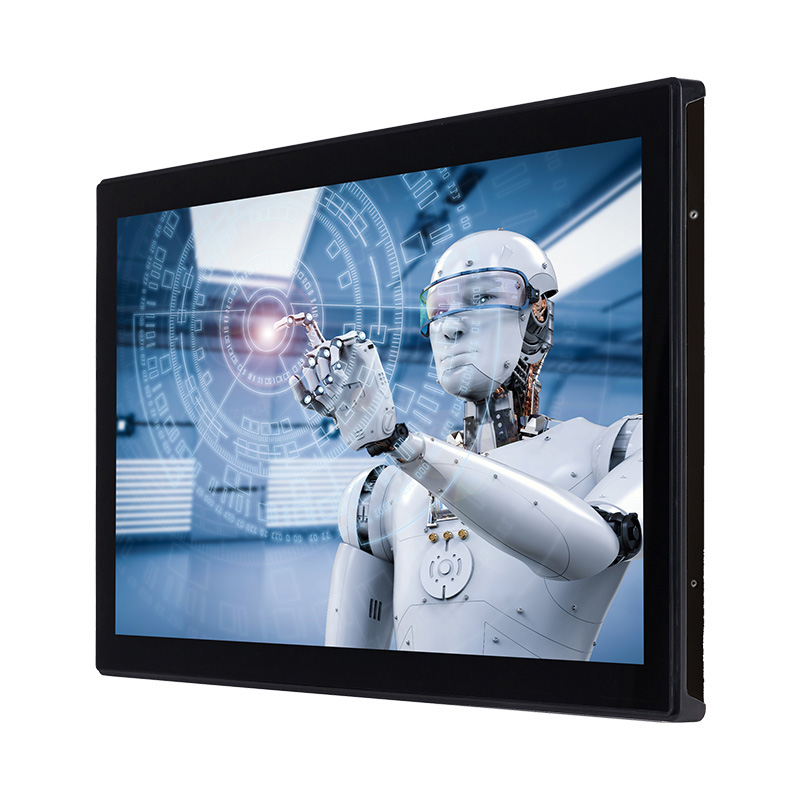
Analyzing process trends allows engineers to optimize production and identify the root causes of machine failures. An embedded control panel computer provides the necessary local storage and graphical processing power to render these complex datasets directly at the machine side.
High-frequency data logging demands robust storage solutions. Standard commercial hard drives fail rapidly under factory vibration. The necessity of industrial-grade Solid State Drives (SSDs) or NVMe storage cannot be overstated. These drives lack moving parts, making them immune to mechanical failure caused by machine vibration. They also offer the high write speeds required to log hundreds of process variables every second. Single-Level Cell (SLC) or high-endurance Triple-Level Cell (TLC) NAND flash memory ensures the drive survives years of continuous data writing.
Evaluating local database caching is essential for maintaining trend continuity. Using lightweight databases like SQLite allows the edge computer to store trend data locally during network outages. Once the connection to the central historian is restored, the local database synchronizes the cached data. This store-and-forward mechanism guarantees no historical data is lost, ensuring compliance reporting remains accurate.
Processing multi-axis historical trend lines, scatter plots, and dynamic dashboards requires substantial computing power. CPU and GPU requirements must align with the complexity of the SCADA application. Rendering a real-time graph with thousands of data points will freeze a low-power processor. Dedicated graphics processing ensures the UI remains fluid while the CPU handles background data logging and PLC communication.
The impact of RAM is equally important. Buffering large datasets for smooth panning and zooming on historical charts requires significant memory. When an operator attempts to zoom in on a specific pressure anomaly from three days ago, insufficient RAM will cause the application to crash or stutter. Ample memory allows operators to perform deep root-cause analysis without leaving the factory floor.
Matching screen size to the complexity of the dashboard prevents visual clutter. A compact 12-inch display works perfectly for simple machine control and basic alarm acknowledgment. However, it lacks the real estate needed for complex trend analysis. Expansive 21.5-inch widescreen monitors provide the necessary space to view multiple trends side-by-side without overlapping windows or shrinking text to unreadable sizes.
High resolution ensures that fine details in historical charts remain distinct. When tracking minor fluctuations in temperature or flow rates, operators need crisp line rendering. Selecting the appropriate aspect ratio and resolution directly impacts how quickly an operator can interpret the displayed data.
The underlying operating system dictates which visualization platforms you can deploy. Hardware must support the specific software stack required by the facility.
Operating System | Primary Advantages | Typical Applications |
|---|---|---|
Windows 10/11 IoT Enterprise | Broad driver support, familiar IT management, compatibility with legacy automation software. | FactoryTalk View, Wonderware, complex local SQL databases, proprietary PLC programming tools. |
Industrial Linux (Ubuntu/Debian) | High stability, low overhead, excellent security, no forced updates. | Ignition Edge, Dockerized containers, custom Python/C++ applications, MQTT gateways. |
Windows-based systems remain necessary for legacy SCADA applications and complex local databases. Windows provides broad driver support for proprietary automation software. Linux-based systems are preferred for lightweight, secure, custom-built applications. Linux excels in peripheral device integration and Dockerized edge deployments, offering a highly stable environment with minimal overhead. Platform agnosticism ensures the hardware can turn into an Ignition HMI or run web-based HTML5 dashboards without locking the facility into a single software vendor.
Feature | Industrial HMI Panel PC | Consumer Display |
24/7 operation | ✓ | Limited |
Wide temperature support | ✓ | No |
Industrial interfaces | ✓ | Limited |
Touch operation | ✓ | ✓ |
Vibration resistance | ✓ | No |
Selecting the right hardware involves evaluating the physical environment where the unit will operate. The best software in the world is useless if the touchscreen fails due to water ingress or the CPU throttles due to extreme heat.
The interface method dictates operator efficiency. Projected Capacitive (PCAP) touchscreens offer multi-touch support and high optical clarity. This clarity is vital for detailed trend analysis and zooming in on complex charts. However, PCAP requires specific tuning for water rejection and operation with thick industrial gloves. If the screen cannot distinguish between a water droplet and a finger, phantom touches will occur.
Resistive touch technology remains highly reliable for pressure-based inputs. It functions perfectly with heavy PPE, thick leather gloves, or even a stylus. While it offers slightly lower optical clarity compared to PCAP, its immunity to water droplets and dirt makes it the standard for washdown environments and heavy fabrication areas.
Operating temperature ranges dictate hardware lifespan. Industrial environments frequently expose electronics to extreme heat or freezing conditions. Evaluating units capable of operating from -20°C to 60°C (-4°F to 140°F) ensures the system will not shut down during a summer heatwave or inside a cold storage facility. Humidity tolerances of 50-70% non-condensing prevent internal short circuits.
Ingress protection is non-negotiable. IP65/IP66 and NEMA 4/4X ratings guarantee protection against dust ingress and high-pressure washdowns. In food and beverage or pharmaceutical applications, operators clean machines daily with caustic chemicals and high-pressure hot water. The front bezel must maintain a perfect seal to protect the internal electronics.
Data visualization requires robust data ingestion. Dual Gigabit LAN ports provide necessary network redundancy. They allow engineers to separate IT and OT networks physically. One port connects to the local machine network for PLCs and sensors, while the other connects to the enterprise network for data pushing. This separation enhances cybersecurity and prevents broadcast storms from crashing the local machine network.
Legacy serial ports (RS-232/422/485) remain necessary for integrating older process equipment. Many facilities still rely on legacy scales, barcode readers, or older PLCs that do not support Ethernet. USB and expansion ports facilitate the integration of modern peripheral devices like vision cameras and biometric scanners, which aid in process tracking and advanced troubleshooting.
Every hardware deployment involves balancing performance, maintenance, and environmental survival. Understanding these trade-offs ensures the chosen solution delivers long-term reliability without excessive maintenance overhead.
Engineers must decide between All-in-One Panel PCs and Modular HMI Displays. All-in-one units combine the screen and the computer into a single chassis. They offer ease of installation and a smaller physical footprint. Modular systems pair an industrial box PC with a separate industrial monitor. This approach sacrifices some space but vastly improves ease of maintenance. If the screen is damaged by a forklift, you only replace the monitor, leaving the PC and its data intact.
Balancing cooling methods is another major decision. Fanless systems utilize passive heat sinks. They feature sealed chassis designs that prevent dust, metal shavings, and moisture from entering the enclosure. This makes them incredibly reliable in dirty environments. Actively cooled systems use fans to dissipate heat, allowing for much higher processing power to render heavy SCADA graphics. However, fans draw in contaminants, requiring regular filter maintenance and increasing the risk of mechanical failure.
Deploying touch interfaces in wet environments carries the risk of operator inability to interact with alarms due to touchscreen malfunction. Water on a standard capacitive screen scatters the electrical field, making it impossible to acknowledge a critical fault. Mitigation involves specifying hardware with advanced hardware-level water rejection algorithms. Alternatively, integrating hybrid keypad options alongside the touchscreen guarantees control regardless of screen conditions.
Data loss during power dips presents a significant risk to historical trend integrity. Plant floors frequently experience voltage sags when large motors start. If the PC reboots, the local data buffer is lost. Mitigation requires integrating wide-voltage DC power inputs that can handle minor fluctuations. Deploying local Uninterruptible Power Supply (UPS) solutions or utilizing PCs with built-in supercapacitors allows the system to save data and shut down gracefully during a complete power loss.
Audit your specific SCADA software requirements, documenting the exact memory and graphical processing needs for platforms like Ignition or FactoryTalk before selecting hardware.
Map out the environmental hazards at the installation site to determine the necessary IP rating, operating temperature range, and optimal touchscreen technology.
Identify all required legacy and modern peripheral connections to ensure the selected hardware has adequate serial, USB, and dual LAN ports for IT/OT separation.
Request a demo unit to test touchscreen responsiveness with operator PPE and evaluate thermal performance in the actual deployment environment.

MeetIPC Industrial HMI Panel PC Solutions
Our industrial HMI panel PCs are designed for automation applications requiring reliable touchscreen operation, powerful computing performance, and long-term stability.
✔ Industrial-grade touchscreen
✔ Fanless cooling design
✔ Multiple I/O interfaces
✔ Windows/Linux/Android support
✔ OEM/ODM customization
A: Industrial panel PCs use ruggedized components designed to withstand extreme temperatures, heavy vibration, and high humidity. They feature fanless cooling, IP-rated sealed bezels for washdown protection, and wide-voltage DC power inputs. Commercial touchscreens use plastic enclosures and active cooling fans that draw in dust, causing them to fail quickly under continuous factory vibration.
A: Running heavy SCADA platforms effectively at the edge requires at least an Intel Core i5 processor and a minimum of 8GB of RAM. For complex applications with extensive historical trend rendering, multi-axis charts, and local database caching, upgrading to 16GB of RAM ensures fluid zooming and panning without UI lag.
A: Standard projected capacitive (PCAP) screens struggle with heavy industrial gloves because the thick material blocks the electrical field. Industrial-grade PCAP screens can be tuned for glove support. However, for extremely thick leather or rubber PPE, resistive touch technology is recommended, as it relies on physical pressure rather than electrical conductivity.
A: They utilize local storage, typically industrial-grade Solid State Drives (SSDs) or NVMe drives, paired with lightweight local databases like SQLite. This creates a store-and-forward mechanism. The data is cached locally while the network is down. Once connectivity is restored, the local database automatically synchronizes with the central historian server.
A: Washdown environments require at least an IP65 or IP66 rating on the front bezel, which corresponds roughly to NEMA 4 or NEMA 4X. These ratings guarantee the enclosure is completely dust-tight and protected against high-pressure water jets and caustic cleaning chemicals from any direction.
A: Fanless PCs eliminate the most common point of mechanical failure: the cooling fan. By using passive heat sinks, they allow for completely sealed chassis designs. This prevents conductive dust, metal shavings, and corrosive moisture from entering the internal components, vastly increasing the reliability and lifespan of the unit.


