
Views: 0 Author: Site Editor Publish Time: 2026-08-25 Origin: Site


The convergence of Information Technology (IT) and Operational Technology (OT) demands ruggedized edge hardware capable of bridging legacy automation software with scalable modern edge applications. Engineering and procurement teams face a tough challenge. They must select hardware that avoids vendor lock-in. Legacy SCADA systems often rely heavily on Windows environments. Meanwhile, modern containerized edge workloads typically require Linux. Deploying redundant hardware to support both ecosystems wastes physical space and engineering resources. An enterprise-grade Embedded Industrial Panel PC provides the architectural flexibility to support either operating system. In many advanced deployments, it can even run both simultaneously. This guide breaks down the hardware requirements, deployment architectures, and implementation risks of running Windows and Linux in harsh industrial environments. You will learn how to match processor architecture to your software stack and deploy reliable human-machine interfaces.
Hardware dictates OS flexibility: The choice between x86 and ARM architectures directly impacts the ability to run full-fat Windows, Windows IoT, or specific Linux distributions (e.g., Ubuntu, Debian, Yocto).
Deployment architecture varies by use case: Applications can be deployed via bare-metal installations, Type-1 hypervisors for simultaneous dual-OS operation, or lightweight Linux containers.
Web-based GUIs are standardizing HMI: Modern industrial applications increasingly utilize browser-based interfaces (HTML5, WebGL), making the underlying OS less relevant to the end-user while prioritizing Linux for backend stability.
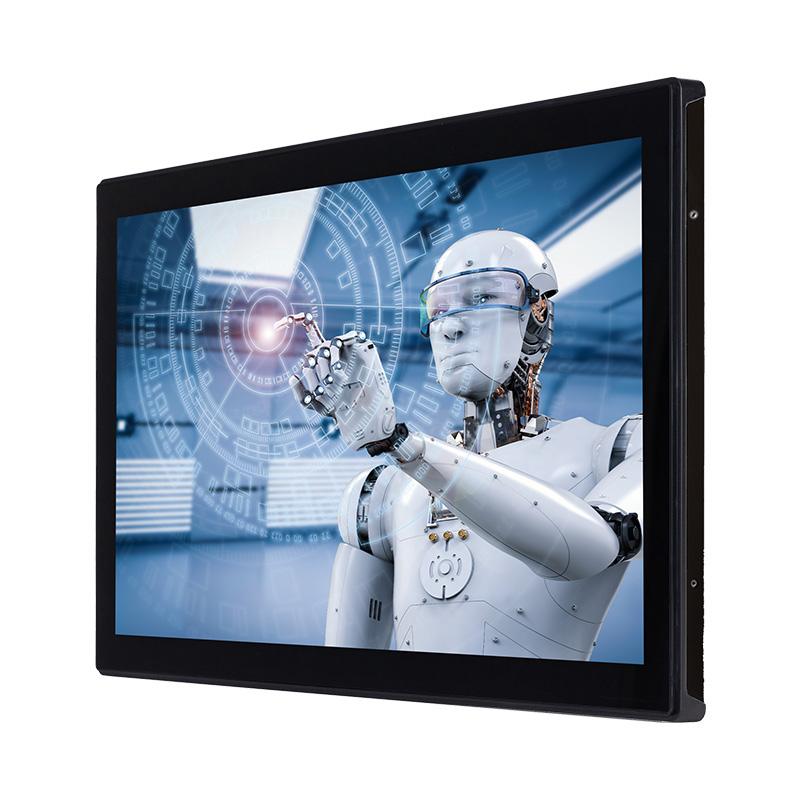
Industrial computing requires hardware that survives where consumer electronics fail. An all-in-one computing solution seamlessly combines an industrial-grade touchscreen display with a powerful embedded processor. This integration eliminates the common failure points associated with separate monitors, display cables, and standalone IPCs. Factory floors generate heavy vibration from stamping presses, airborne metallic particulates, and severe electrical noise from variable frequency drives (VFDs). A unified die-cast aluminum chassis protects internal motherboards while providing operators with a direct interface for machine control. Consolidating the display and compute modules reduces the physical footprint inside tight NEMA enclosures. It also simplifies mounting procedures on VESA arms, swing pendants, and operator consoles. Engineers often specify optical bonding for the touchscreen glass to prevent condensation buildup in high-humidity washdown environments.
Not every all-in-one computer qualifies for mixed-OS industrial environments. True industrial hardware must meet strict physical and operational criteria. A fanless design stands as the baseline requirement. Eliminating moving cooling fans prevents dust, oil mist, and debris from being pulled across the motherboard. Wide temperature tolerance allows the system to operate in unconditioned environments, scaling from -20°C in cold storage facilities to 60°C near industrial furnaces. The front bezel must carry an IP65 or IP67 rating. This ensures the touchscreen can withstand low-pressure water jets and total dust ingress during daily facility washdowns. Power delivery must support wide voltage inputs, typically 9-36V DC, to handle the severe voltage sags and spikes common on factory power grids. Long lifecycle support guarantees that the exact hardware configuration remains available for up to a decade, preventing unexpected driver conflicts when deploying standardized Windows or Linux images across multiple global facilities.
Modern manufacturing facilities require both Windows and Linux ecosystems to function efficiently. Operational Technology (OT) teams have relied on Windows for decades. Legacy PLC programming software, proprietary SCADA platforms, and established HMI applications are deeply tied to Windows architectures. Moving away from these proven systems introduces unacceptable operational risk to active production lines. Conversely, Information Technology (IT) teams drive the adoption of Linux. Linux excels at running IoT gateways, processing high-volume telemetry data, and securing edge-to-cloud communications. Linux offers a lightweight footprint and superior containerization capabilities for deploying microservices. Facilities need hardware that bridges this gap. A single edge device must allow legacy control systems to feed raw machine data into modern analytics pipelines without requiring two separate physical computers.
Historically, hardware manufacturers locked users into proprietary operating systems. This forced system integrators to adapt their software to rigid hardware limitations. The industry is now shifting rapidly toward OS agnosticism. Hardware vendors provide standardized x86 and ARM platforms that do not dictate the software stack. System integrators now have the freedom to choose the exact operating system for their specific application. You can load a custom Yocto Linux distribution for a fleet of headless data collection nodes. You can install Windows 10 IoT Enterprise for a complex, multi-screen SCADA terminal. This agnostic approach protects hardware investments. If a facility transitions from a legacy Windows application to a modern web-based Linux HMI, the existing panel PCs can simply be wiped and reimaged without replacing the physical hardware.
Installing an operating system directly onto the hardware remains the most common deployment method. This bare-metal approach dedicates all system resources to a single OS, maximizing performance for demanding applications. Evaluating the trade-offs between Windows and Linux is essential. Windows 10 or Windows 11 IoT Enterprise offers unmatched familiarity. It provides extensive out-of-the-box driver availability for specialized industrial peripherals like barcode scanners and RFID readers. Native SCADA support is virtually guaranteed. Ubuntu or Debian Linux offers deep customization and significantly lower resource overhead. Linux distributions allow engineers to strip out unnecessary background services, creating a highly secure, purpose-built appliance.
Procurement and deployment strategies vary based on internal engineering capabilities. Follow these standard deployment steps for bare-metal installations:
Define the primary control application and identify its strict native OS dependencies.
Audit the required peripheral drivers for all external hardware connecting to the panel PC.
Select a pre-configured OS image for rapid deployment or compile a custom Linux kernel for maximum security.
Configure the BIOS/UEFI settings to enable features like Wake-on-LAN and Restore AC Power Loss.
Deploy the OS image using network booting (PXE) or automated USB provisioning tools.
Advanced edge computing often requires running multiple operating systems on a single machine. Virtualization makes this possible. You can install a Type-1 hypervisor directly on a panel mount industrial computer. Platforms like Proxmox VE or VMware ESXi act as the foundational layer. From there, you can spin up a Windows virtual machine (VM) and a Linux VM to run simultaneously. The Windows VM handles the local SCADA interface and direct operator input. The Linux VM manages secure MQTT data transmission to the cloud and runs local database instances.
Virtualization requires specific hardware prerequisites. The processor must support virtualization extensions, such as Intel VT-x or AMD-V. Core count becomes a critical metric. A quad-core processor is typically the minimum, allowing you to dedicate specific CPU cores to each VM to prevent resource contention. Hardware passthrough capabilities (like Intel VT-d) are mandatory if the Windows VM needs direct, exclusive access to a physical RS-232 serial port to communicate with a legacy PLC. RAM allocation must be carefully planned. You must provision enough memory to satisfy the baseline requirements of the hypervisor, the Windows VM, and the Linux VM combined.
Containerization offers a lightweight alternative to full virtualization. Instead of running multiple operating systems, you utilize a single Linux host OS. You then run Docker or a lightweight Kubernetes distribution like K3s. Containers allow you to isolate individual microservices. You can run a Node-RED instance for logic flows, an MQTT broker for messaging, and an InfluxDB time-series database for local logging. These containers run alongside the primary HMI application without interfering with each other.
This approach maximizes hardware efficiency. Containers share the host OS kernel, eliminating the massive memory and CPU overhead associated with running full virtual machines. If a specific microservice crashes, the container simply restarts automatically without affecting the main HMI display. Containerization also simplifies updates. You can push a new version of a single containerized application to the edge device without rebooting the entire panel PC. You map persistent storage volumes to the host OS to ensure data survives container restarts.
The processor instruction set dictates which operating systems you can deploy. The x86 architecture, dominated by Intel Core and Celeron processors, remains the mandatory standard for full Windows support. If your application requires Windows 10 IoT Enterprise, Windows 11, or legacy x86 Linux applications, you must select an x86 processor. These chips offer immense computational power and broad compatibility with decades of industrial software. They handle complex graphical rendering for heavy SCADA clients effortlessly.
ARM architecture, featuring chips from NXP (like the i.MX8 series) or Rockchip, serves a different purpose. ARM processors utilize a RISC (Reduced Instruction Set Computer) architecture, making them highly efficient. They are the standard for embedded Linux and Android deployments. ARM excels in scenarios requiring low power consumption and minimal heat generation. However, ARM has severe limitations with standard Windows environments. While Windows on ARM exists, it lacks the driver ecosystem and legacy software compatibility required for serious industrial automation. Choose ARM for dedicated Linux web HMIs. Choose x86 for maximum OS flexibility and legacy support.
Operating systems consume resources differently. You must calculate RAM requirements based on the OS overhead. Windows 11 requires significantly more baseline memory than a headless Linux distribution. A standard Windows deployment might consume 4GB of RAM just to idle. In contrast, a custom Yocto Linux build running a lightweight window manager might use less than 500MB. If you plan to run Windows, 8GB of RAM is the practical minimum, with 16GB recommended for smooth operation. Industrial environments often utilize ECC (Error-Correcting Code) memory to prevent data corruption caused by electrical interference.
Storage selection impacts both speed and longevity. Industrial PCs typically utilize eMMC storage, SATA SSDs, or NVMe SSDs. eMMC is soldered directly to the motherboard. It is highly resistant to vibration and suitable for lightweight Linux images. However, eMMC has slower read/write speeds and lower endurance. NVMe SSDs provide blazing fast boot times and massive data bandwidth. If your application involves heavy data logging with constant read/write cycles, an NVMe SSD utilizing SLC or MLC NAND flash is mandatory to prevent premature storage failure.
Industrial applications rely on specialized physical interfaces. A panel PC might include RS-232/485/422 serial ports, CAN bus interfaces, dual Gigabit LAN, and opto-isolated GPIO pins. Hardware is useless without the software to control it. Verifying driver availability for both Windows and Linux is of critical importance.
Windows typically offers excellent driver support through vendor-supplied executable installers. Linux driver support can be more complex. Many industrial I/O controllers have native support built directly into the Linux kernel. However, specialized proprietary hardware might require compiling custom drivers from source code. Before purchasing hardware for a Linux deployment, verify that the manufacturer provides pre-compiled Linux drivers or comprehensive documentation for the specific kernel version you intend to use. Serial ports often require specific configuration in Linux using tools like `setserial` to enable RS-485 auto-flow control.
Feature | x86 Architecture (Intel/AMD) | ARM Architecture (NXP/Rockchip) |
|---|---|---|
Windows Support | Full support (Windows 10/11, IoT, Legacy) | Limited (Windows on ARM lacks industrial drivers) |
Linux Support | Excellent (Ubuntu, Debian, RedHat) | Excellent (Yocto, Buildroot, Ubuntu Core) |
Power Consumption | Moderate to High (10W - 65W TDP) | Very Low (2W - 10W TDP) |
Virtualization | Native hardware support (VT-x, AMD-V, VT-d) | Limited, mostly relies on containerization |
Ideal Use Case | Legacy SCADA, heavy analytics, dual-OS VMs | Web-based HMIs, IoT gateways, mass deployment |
The industrial sector moves slowly. Many facilities rely heavily on industry-standard SCADA platforms like Ignition, Wonderware, or FactoryTalk. These legacy systems exhibit a deep reliance on Windows operating systems. Deploying these platforms requires an industrial touchscreen HMI computer running a compatible Windows version. Beyond the core software, operator interaction depends entirely on robust touchscreen drivers. Industrial touch panels often use projected capacitive (PCAP) or resistive touch technologies. Windows handles touch input natively, providing reliable pinch-to-zoom and multi-touch gestures required for navigating complex SCADA schematics. Ensuring the touch controller firmware communicates flawlessly with the Windows OS is vital for preventing ghost touches. Advanced PCAP controllers include water rejection algorithms and glove support, requiring specific driver calibration within the Windows environment.
A massive shift is occurring in how industrial interfaces are built. Developers are moving away from proprietary HMI builders. Instead, they are building HMIs using modern web technologies. Frameworks like React, Vue, and Angular are now common on the factory floor. In this architecture, the web server and backend logic are hosted locally on a Linux operating system. The graphical interface is then displayed via a modern browser (like Chromium) running in strict kiosk mode. The operator sees a fluid, responsive application and never interacts with the underlying Linux desktop.
This approach radically streamlines the developer experience. Developers do not need expensive, locked-down SCADA software licenses to build a screen. They can build robust, highly customized HMIs using only a text editor, a terminal app, and a modern browser. Using WebSockets, the Linux backend pushes real-time machine data to the browser without requiring page refreshes. This allows companies to leverage standard web development talent to build industrial interfaces, accelerating deployment timelines and improving user experience.
Standard operating systems are not designed for real-time control. They use fair-share task scheduling, which can introduce milliseconds of latency. For applications requiring deterministic, microsecond-level response times, standard Windows and Linux fall short. You must modify the OS. For Windows environments, engineers deploy Real-Time Extensions (RTX64). This transforms Windows into a Real-Time Operating System (RTOS), allowing it to control high-speed motion controllers directly. In the Linux ecosystem, developers apply PREEMPT_RT patches to the kernel. This forces the Linux kernel to prioritize real-time tasks above all other processes, minimizing jitter. Both approaches allow a panel PC to function as a soft-PLC, handling edge analytics and direct machine control simultaneously without missing critical timing deadlines.
Integrating legacy Windows machines into modern networked environments creates significant security risks. Older Windows versions present larger attack surfaces and are frequent targets for ransomware. When a panel PC connects to both the isolated OT network and the enterprise IT network, it becomes a potential bridge for malicious actors.
Mitigation requires strict network architecture. Implement rigorous network segmentation using VLANs and hardware firewalls to isolate the panel PC. If using Windows, utilize Windows IoT lockdown features. You can disable USB ports, block unauthorized application execution with AppLocker, and hide system dialogs. Enable TPM 2.0 (Trusted Platform Module) for hardware-based encryption and Secure Boot. For Linux deployments, utilize immutable file systems. An immutable OS prevents any permanent changes to the core system files. Even if a vulnerability is exploited, a simple reboot restores the system to its clean, original state.
Fanless panel PCs rely entirely on passive cooling. The aluminum chassis acts as a giant heatsink to dissipate internal temperatures. Running heavy virtualization or unoptimized Windows applications can cause sustained CPU spikes. If the processor generates more heat than the chassis can dissipate, the system will initiate thermal throttling. The CPU artificially slows its clock speed down to prevent physical damage, resulting in a sluggish HMI and delayed control responses.
Mitigation starts during the hardware selection phase. Ensure proper CPU Thermal Design Power (TDP) selection. Do not specify a 65W desktop-class processor for a sealed fanless enclosure in a hot environment. Opt for 15W or 25W embedded processors. Furthermore, conduct rigorous load testing under peak environmental temperatures. Run your exact software stack inside a thermal chamber to verify the system maintains base clock speeds without throttling at the maximum rated ambient temperature.
Industrial hardware often outlives its software. The primary risk is OS end-of-life (EOL). When an operating system reaches EOL, it no longer receives security patches. This renders the hardware inherently insecure, even if it functions perfectly. Upgrading the OS later can break legacy SCADA compatibility.
Mitigation requires proactive licensing strategies. Never deploy standard consumer versions of Windows in an industrial setting. Select Long-Term Servicing Channel (LTSC) Windows licenses. Microsoft guarantees 10 years of security updates for LTSC releases without forcing feature updates that might break compatibility. For Linux, avoid community-supported distributions with short release cycles. Select enterprise-backed Linux distributions, such as Ubuntu Core or Red Hat Enterprise Linux, which offer 10+ year support lifecycles specifically designed for embedded devices. Implement Over-The-Air (OTA) update mechanisms to push security patches securely to remote edge devices.
An embedded industrial panel PC is not inherently tied to one operating system. Its true utility is defined by the underlying processor architecture and the engineering team's specific deployment strategy. The hardware serves as a blank canvas for either legacy control or modern edge computing. Choose x86 hardware if your facility requires legacy Windows SCADA software or if you plan to utilize virtualization to run multiple operating systems. Opt for ARM-based Linux systems if you are deploying lightweight, web-based HMIs at scale, where power consumption and heat generation are primary concerns.
To ensure a successful deployment, follow these next steps:
Map out your exact software stack and physical I/O requirements before reviewing hardware specifications.
Verify native driver support for all specialized industrial peripherals on your target operating system.
Request a demo unit from the manufacturer to run a proof-of-concept test in a representative thermal environment.
Establish a strict network segmentation plan to isolate the panel PC from untrusted enterprise networks.
A: Yes. By utilizing a Type-1 hypervisor like Proxmox or ESXi on x86 hardware, you can allocate CPU cores and RAM to run a Windows virtual machine and a Linux virtual machine at the same time on a single panel PC.
A: Both can be highly secure if configured correctly. Linux generally offers a smaller attack surface and supports immutable file systems. Windows requires utilizing specific IoT lockdown features and strict network segmentation to achieve comparable security in industrial environments.
A: You need an x86 processor (Intel/AMD) if you plan to run standard Windows, legacy SCADA software, or utilize heavy virtualization. ARM processors are ideal for dedicated Linux deployments, Android, and lightweight web-based HMIs where low power consumption is critical.
A: Developers increasingly build GUIs using modern web technologies like HTML5, React, or Vue. The web application runs on a local Linux server, and the operator interacts with it through a modern web browser locked in full-screen kiosk mode.
A: It depends on hardware compatibility. Modern processors often lack native Windows 7 drivers. To run legacy SCADA, you may need to source specific older hardware configurations or run Windows 7 inside a virtual machine on a modern host OS.
A: Windows 10 IoT Enterprise LTSC provides 10 years of guaranteed security updates without forced feature changes. It also includes advanced lockdown features to disable USB ports, hide boot screens, and restrict applications, which Windows 10 Pro lacks.
A: Fanless PCs use their heavy aluminum chassis as a heatsink to dissipate thermal energy. They pair this passive cooling design with low-TDP (Thermal Design Power) embedded processors that deliver high performance without generating excessive heat.


